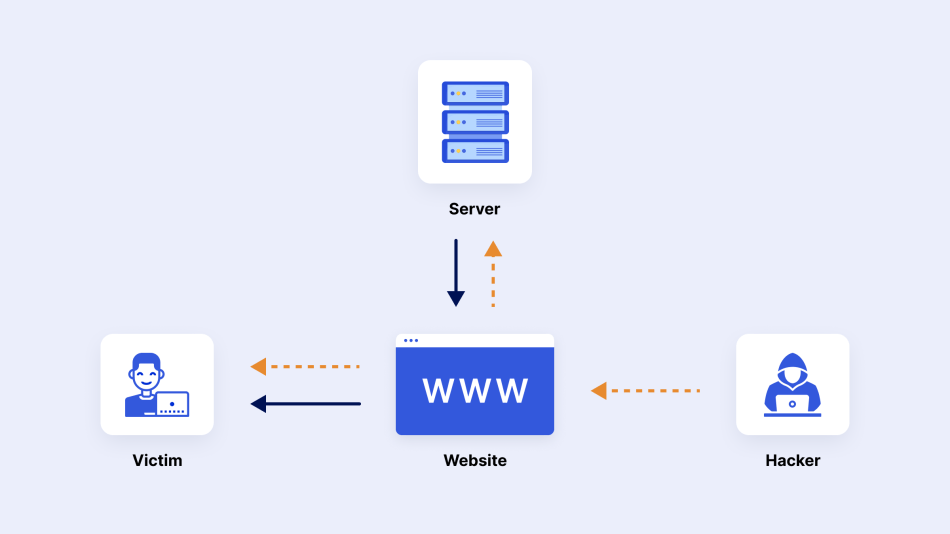
Every year, e-commerce platforms lose billions of dollars to downtime caused by DDoS attacks. Black Friday, Cyber Monday, major product launches, and flash sales are not just peak revenue windows - they are also prime targets for competitive sabotage and extortion attacks. This guide explains exactly how hackers disrupt online stores, which attack methods they use, and what you can do to protect your revenue before the next traffic spike.
Why E-Commerce is a Prime DDoS Target
Online retailers are uniquely vulnerable to availability attacks because every minute of downtime has a direct, measurable revenue impact. A mid-size e-commerce site generating $50,000/day loses roughly $35 per minute of outage. During a Black Friday peak at 5x normal traffic, that figure climbs to $175 per minute.
Attackers know this. DDoS-for-hire services (booters) are routinely weaponized by:
- Competitors - knock a rival offline on peak sale days to redirect their traffic
- Extortionists - launch a demo attack, then demand a ransom to stop
- Script kiddies - opportunistic attacks on poorly protected stores for bragging rights
- Smokescreen actors - use the DDoS as a distraction to hide a simultaneous data breach or card skimmer injection
The Attack Playbook: How Hackers Take Down an Online Store
Phase 1 - Reconnaissance
Before launching, attackers enumerate the target's infrastructure. They look for the origin server IP address that Cloudflare or another CDN is proxying. Common methods include historical DNS records, SSL certificate transparency logs, subdomains that bypass CDN proxying (e.g., mail.example.com, ftp.example.com), and email headers revealing the hosting provider.
Once the origin IP is found, even a heavily protected domain can be attacked directly - bypassing the CDN entirely.
Phase 2 - Softening the Target (L4 Flood)
The initial wave is usually a volumetric UDP or TCP SYN flood aimed at either the origin IP or the DNS infrastructure. The goal is to overwhelm the hosting provider's scrubbing capacity or trigger CDN failover rules, potentially exposing a less-protected backup IP.
Common L4 Methods Used Against E-Commerce
Phase 3 - Application Exhaustion (L7 Flood)
While the L4 flood occupies the security team and scrubbing centers, a simultaneous Layer 7 HTTP flood targets the most resource-intensive endpoints:
/checkoutand/cart- these trigger complex database queries, session operations, and payment gateway calls/search?q=- search endpoints are notoriously expensive; full-text search under flood conditions can pin CPU at 100%/login- credential stuffing combined with flood exhausts authentication rate-limiting pools and locks legitimate users out/api/*- REST APIs for inventory, pricing, and recommendations are rarely as protected as frontend pages
Modern L7 attack tools bypass Cloudflare's Under Attack Mode by solving JS challenges automatically, meaning your "protected" site is still reachable by the flood traffic.
Real Cost of E-Commerce Downtime in 2026
| Store Size | Avg. Daily Revenue | Cost per Hour Down | Cost on Peak Day (10h down) |
|---|---|---|---|
| Small store | $2,000 | $83 | $830 |
| Mid-size store | $50,000 | $2,083 | $20,833 |
| Large retailer | $500,000 | $20,833 | $208,333 |
| Enterprise | $5,000,000 | $208,333 | $2,083,333 |
These figures represent direct revenue loss only and exclude reputational damage, SEO rank drops from crawl errors, customer churn, and incident response costs.
5 Things Hackers Know About Your Store That You Don't
Your origin IP is probably exposed
SSL certificate transparency logs and old DNS records often reveal the real server IP behind your CDN. Any attacker can find it in minutes using public tools.
Your search endpoint has no rate limiting
Most Shopify/WooCommerce stores apply rate limits to login pages but forget the search and product filter APIs, which often hit Elasticsearch or MySQL directly.
Your CDN failover exposes an unprotected IP
When Cloudflare falls back to your origin due to L4 saturation, the failover IP may not be listed in your firewall allowlist, leaving it fully exposed.
Your WAF rules are based on yesterday's attack signatures
Managed WAF rules are updated reactively, not proactively. Bypass techniques circulate in private channels weeks before they appear in vendor signatures.
You've never actually tested your protection
Most stores enable Cloudflare or an anti-DDoS plugin and assume they're covered. Without a real stress test, you have no evidence - only hope.
How to Protect Your Online Store: A Practical Checklist
Lock down your origin IP
Block all traffic to your origin server that does not come from your CDN provider's IP ranges.
Rate-limit all endpoints
Apply rate limiting to search, cart, login, and API routes - not just login forms.
Enable Cloudflare UAM on peaks
Switch Under Attack Mode on automatically during traffic events using Cloudflare Workers.
Run regular stress tests
Use Stressers.Zone to simulate L4 + L7 combined attacks on your staging environment before peak seasons.
Set real-time DDoS alerts
Configure monitoring for PPS/RPS anomalies, connection table saturation, and latency spikes.
Document and drill your response plan
Ensure your ops team knows exactly what to do in the first 5 minutes of an attack.
Don't wait for an attack to discover your vulnerabilities
Stress-test your store before the next Black Friday. Start free, no credit card required.